An editable Canva baby shower invitation is a pre-designed digital template that a buyer personalizes themselves inside Canva's free online design tool, changing the names, date, time, and other text while the background artwork and layout stay fixed, then downloads and prints or shares the finished design without needing design software or experience.
Do You Need a Paid Canva Account?
No. Most editable baby shower invitation templates, including woodland and forest-themed designs, are built to work with a free Canva account. You won't need Canva Pro or any paid add-ons to change the text, only to access the template link the seller provides after purchase.
Editing Your Template Step by Step
The process is the same for almost any editable Canva invitation:
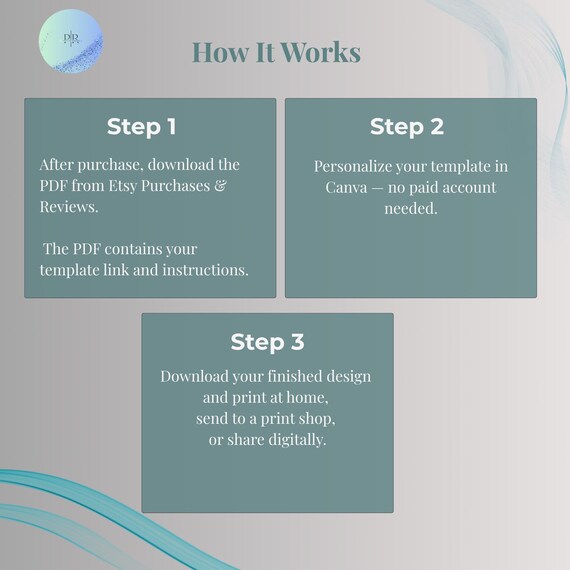
- After purchase, open the PDF from your Etsy download — it contains your Canva template link and instructions
- Click the link and log in to Canva (or create a free account if you don't have one)
- Click each text box to update names, date, time, address, and RSVP details
- Download your finished design as a PDF, JPG, or PNG
- Print at home, send to a local print shop, or share the file digitally
The whole process usually takes a few minutes once you're in the template — most of the time goes into deciding on wording, not the editing itself.
What You Can and Can't Change
On most templates, all text is fully editable — names, wording, font size, and font color. The background artwork and illustrations, like the deer and fox scene on a woodland design, are typically fixed and can't be swapped out or repositioned. If you want an example of what's editable versus fixed, the Woodland Baby Shower Invitation, Editable Canva Template lists exactly this in its description, so you know what to expect before buying.
Frequently Asked Questions
Can I edit a Canva invitation template on my phone?
Yes, Canva works on mobile and tablet, though most people find editing text boxes easier on a desktop or laptop.
What if I want to change the invitation's background color or art?
On most templates, background artwork is fixed and only the text is editable — check the individual listing description to confirm what's changeable before buying.
How long does it take to edit a Canva invitation template?
Usually just a few minutes once you have your wording decided — the template link opens with the layout and fonts already in place.
Do I need any design experience to use an editable template?
No. These templates are built for beginners — you're only replacing text in an existing layout, not designing one from scratch.